The Garmin MCP without a server.
Most ways to get your Garmin data into Claude or ChatGPT start with installing code and keeping a computer running. This one skips both.
Most Garmin MCP connectors make you install Python and keep a computer running. stats.training is hosted: subscribe, log in, paste one link into Claude or ChatGPT. About a minute, no terminal. It's read-only, your history is never stored on its servers, and it's $10/month.
What you're actually trying to do
The goal is simple. You want to talk to your own training data: ask Claude or ChatGPT about last night's sleep, your last four long runs, or why your recovery dipped this week, and get an answer built on your real numbers instead of a guess.
The part that makes this work is a small connector, usually called an MCP. It's the wire between your AI and your Garmin account. How it works under the hood doesn't matter much. What matters is that it's there when you ask, and that setting it up didn't cost you a Saturday.
The no-server version
Nothing to install, nothing to keep running. The connector is already hosted and online, so setup is three steps:
- Subscribe at stats.training.$10/month. Cancel any time from your account.
- Log in with Garmin or Strava.One short form. Nothing to download.
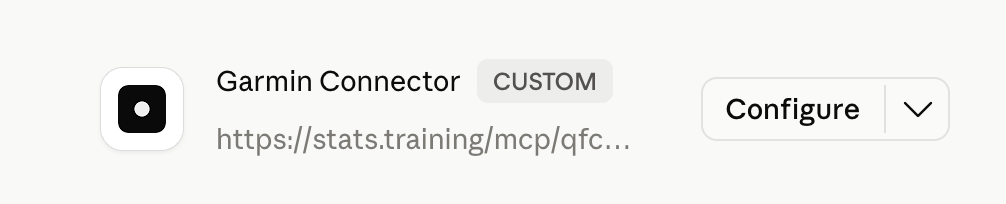
- Copy your personal link and paste it into Claude or ChatGPT.From the next message on, your AI can read your live training data.
The catch with the do-it-yourself versions
Search around and most of what turns up is built for people who like to tinker. The free, open-source connectors are good, but the setup usually runs like this:
- Install developer tools. Python, a package manager, a terminal you're comfortable in.
- Run the connector yourself. On your own laptop or a server you rent.
- Keep it running. Close the laptop or lose power and your AI goes blind until you start it again.
- Patch it. When something updates or breaks, that's yours to fix.
None of that is hard if you write code for a living. For everyone else it tends to end in a half-working setup that goes quiet a week later, right when you wanted to check your taper. Side by side:
What you can ask once it's connected
Setup is the boring part. This is the reason to bother:
Is it safe
None of your training history sits on stats.training's servers. When your AI asks for a number, the connector pulls just that number from Garmin and passes it back. The conversation itself never goes through it, only the request for what to look up.
It's read-only too. Your AI can read your data but can't change anything on your account or send a workout to your watch. When you're done, revoke access from Garmin Connect or Strava and the link stops working right away.
The short version
If you enjoy running your own software, the free connectors are out there and they do the job. If you'd rather skip the install, the rented server, and the upkeep, the hosted route gets you to the same conversation in about a minute.
Your data already exists. The only thing missing was a wire to your AI, and that no longer has to be your weekend project.
Connect Garmin to your AI in a minute
$10/month. Cancel any time. Works with Claude (Free, Pro, Max), ChatGPT, and any MCP-compatible AI.