How to connect Garmin to Claude or ChatGPT.
Three clicks, one link, then ask. Here's the setup for both, the exact menu paths as they stand today, what your AI can actually see, and what to do when it doesn't work.
Three steps: subscribe, log in with Garmin or Strava, paste one link into your AI's connector settings. In Claude that's Customize → Connectors → + → Add custom connector. In ChatGPT you have to turn on developer mode first. Your AI gets 33 read-only Garmin tools across activities, sleep, recovery, and training load. The prompts that pay off are trend reads and comparisons across weeks, not "show me my last run."
First: can your plan do this?
This trips up more people than the setup itself.
- Claude Free. Works, but you're limited to one custom connector. If you already have one, you'll need to remove it.
- Claude Pro and Max. Works, no limit worth worrying about. This is the common case.
- Claude Team and Enterprise. An Owner adds it once from Organization settings, then members connect individually.
- ChatGPT Pro. Works, but developer mode has to be on first, and only on the web.
- ChatGPT Free and Plus. Custom MCP servers aren't currently documented as available.
Get your link
- Go to stats.training and subscribe.$10/month. Cancel any time from your account.
- Log in with Garmin or Strava.One short form. Garmin uses your account credentials; Strava is a standard OAuth click-through.
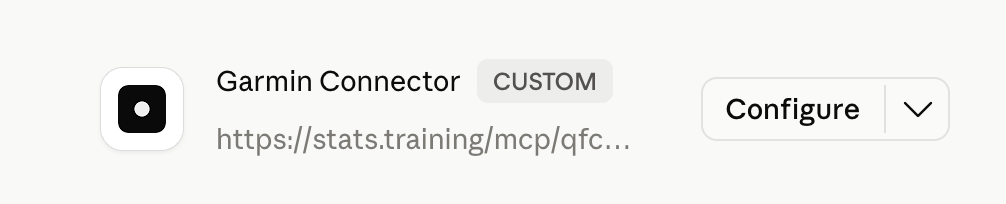
- Copy your personal MCP URL.It looks like
https://stats.training/mcp/…. The random part is the credential, so treat the whole URL like a password.
Connect it to Claude
On Pro or Max, in a desktop browser:
- Open Customize → Connectors.From your profile menu in Claude. On Team or Enterprise the Owner does this once under Organization settings → Connectors instead.
- Click +, then Add custom connector.You want the custom option, not anything from the prebuilt list.
- Paste your stats.training URL and click Add.Leave Advanced settings alone. Those are for OAuth servers; yours authenticates with the link itself.
One thing to know before you paste: there's no edit button. If you ever rotate your link or mistype it, you remove the connector and add it again rather than editing in place.
Connect it to ChatGPT
The route is different and the missing step is almost always developer mode. On chatgpt.com in a desktop browser, open Settings → Security and login and turn on Developer mode. Then go to the plugins page, click +, and add your URL as a new plugin with Server URL and No authentication.
ChatGPT lists MCP apps as web-only, so stop looking for the create button in the mobile app. It isn't there. The full ChatGPT walkthrough is here, with screenshots of each screen.
Now you can call Garmin or Strava tools directly from your favorite AI dashboard.
What your AI can actually see
The connector exposes 33 Garmin tools spanning the same categories you'd browse in Garmin Connect:
- Activities. Splits, pace, heart rate, power, individual lap detail.
- Sleep. Stages, score, restless moments, SpO₂, overnight respiration.
- Recovery. HRV trend, body battery, resting heart rate, daily stress.
- Health devices. Index BPM blood pressure readings and Index S2 weight and body composition.
- Training load. Status, readiness, morning readiness, hill score.
- Performance. VO₂ max, fitness age, race predictions for 5K to marathon.
- Weekly aggregates. Steps, intensity minutes, stress totals.
For Strava users, the equivalent activity feed, athlete stats, zones, and stream data (heart rate, pace, cadence per second).
It's read-only. Your AI can't push a workout to your watch or edit anything on your account.
Use cases
The novelty wears off fast if you only ask "show me my last run."
Where it gets interesting is when you ask things Garmin's UI doesn't make easy.
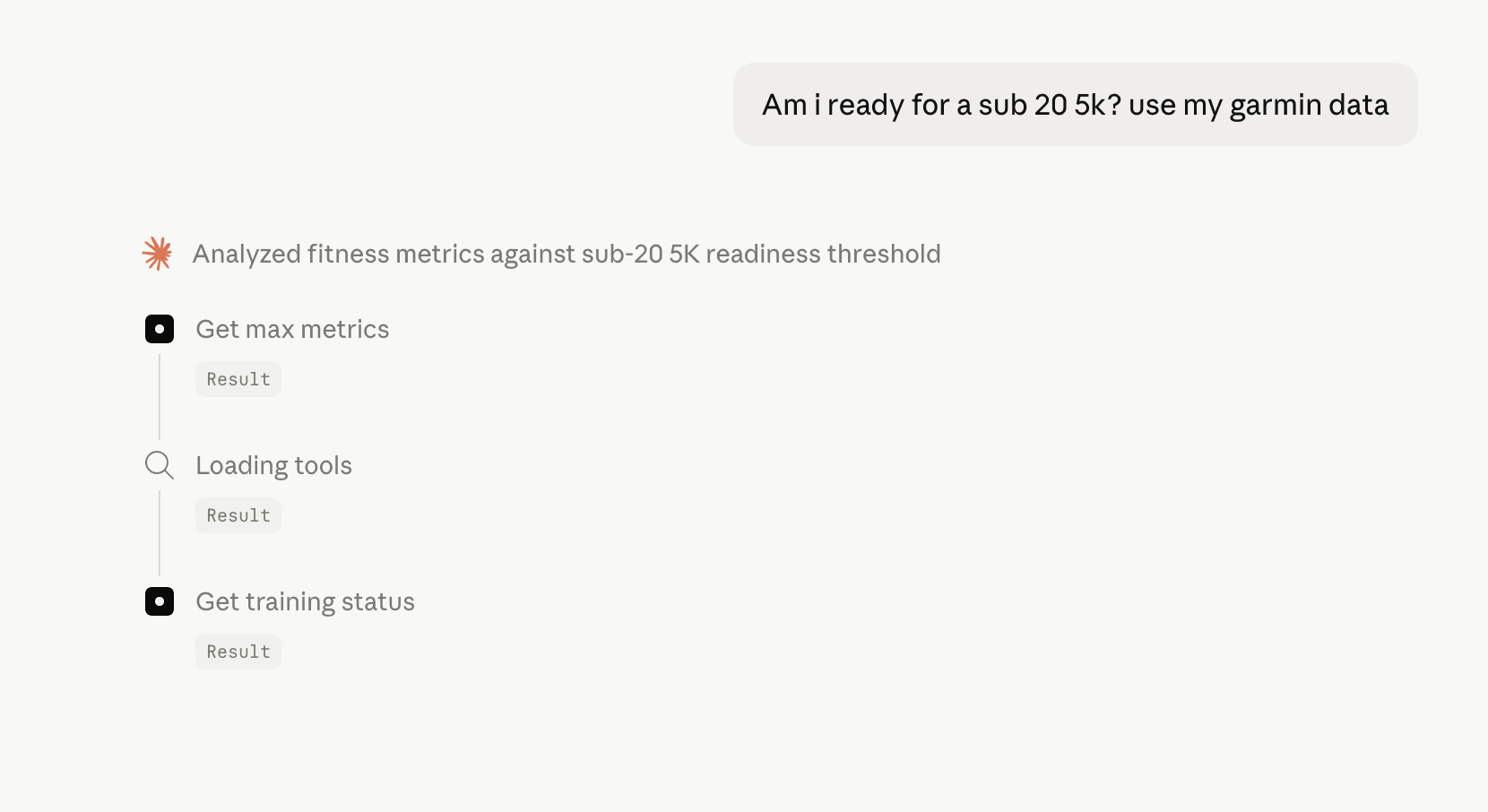
There's a longer list of these, grouped by what you're trying to work out, in what to ask your AI about your Garmin data.
If it doesn't work
Four things account for almost every failed setup.
- The connector was added but your AI ignores it. Most often it just needs asking directly. Say "use my Garmin data" in the message. Once it calls a tool successfully it tends to keep reaching for it.
- ChatGPT has no create button. Developer mode is off, or you're on mobile, or you're on Free or Plus. All three look identical from the outside.
- Claude says it can't add the connector. On Free you get one custom connector total, so an existing one has to go first. On Team or Enterprise an Owner has to add it at the organization level before you'll see it.
- It worked, then stopped. Usually Garmin's own API having a bad hour, and it clears on its own. If it doesn't, reconnect your Garmin login from your account page. Changing your Garmin password also invalidates the link.
If none of that is it, email contact@stats.training and say which AI and which plan. That's usually enough to spot it.
What about privacy
Nothing about your training lives on stats.training's servers. When Claude wants a number, it sends a tool request, the bridge fetches it from Garmin, hands the number back. The conversation itself never touches the bridge, only what number to look up.
When you're done, you revoke access from Garmin Connect (or strava.com/settings/apps) and the link dies on the spot. You don't even have to come back to the site to cancel data access.
The point
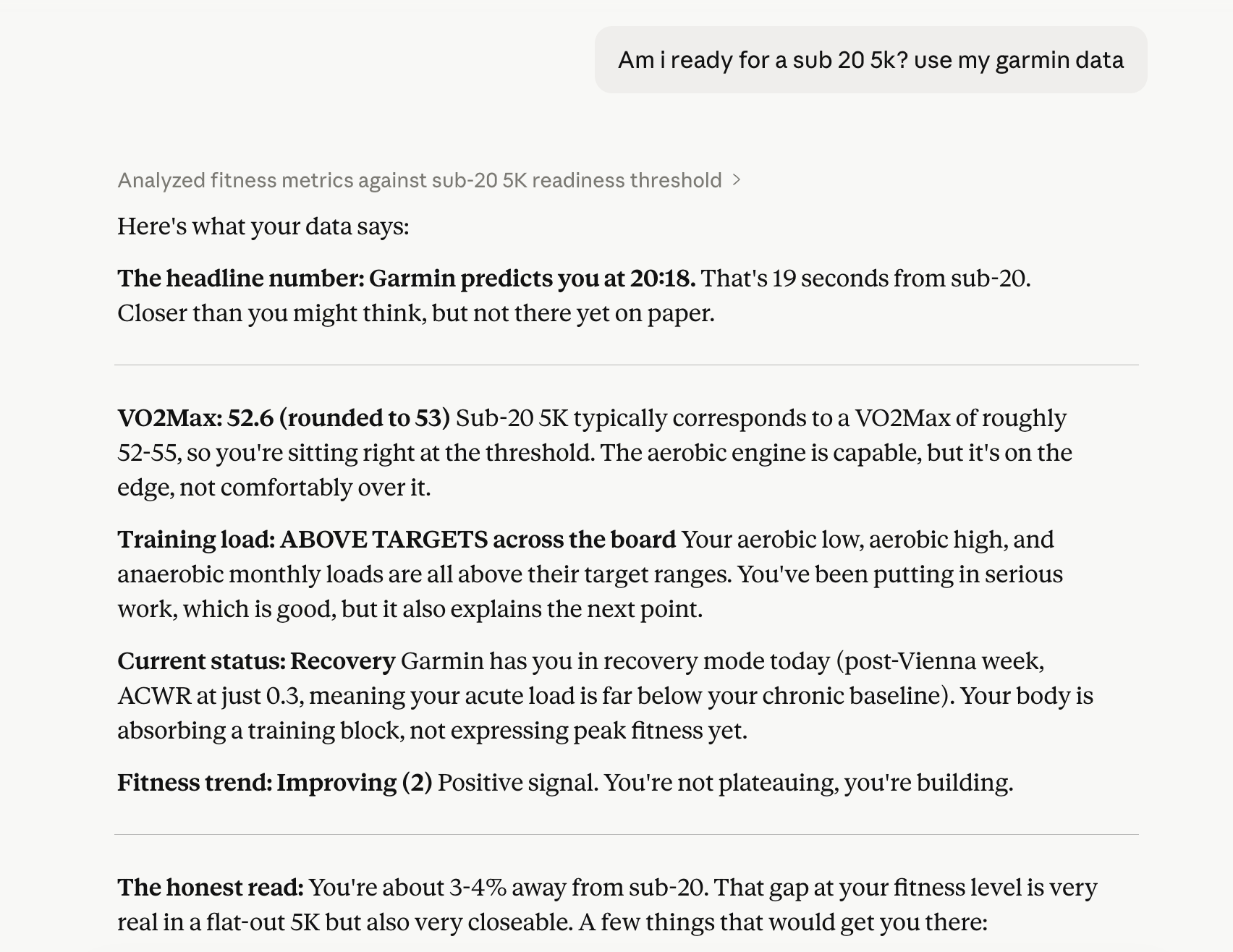
A dashboard tells you things. A chat lets you ask things, including the half-formed questions you'd ask a coach in the car after a session. Garmin and Strava hold the data.
Claude and ChatGPT are good at thinking through it. The only thing missing was a wire between them.
If you try it, the queries that pay off most are the ones with context: comparisons across weeks, trend reads, planning decisions that depend on yesterday and the day before.
Start there.
Ready to try it?
$10/month. Cancel any time. Works with Claude (Free, Pro, Max), ChatGPT, and any MCP-compatible AI.
Sources and last check
Claude plan availability and the Customize → Connectors path per the Claude help centre, including the one-connector limit on Free and the Organization settings route for Team and Enterprise. ChatGPT developer mode path per OpenAI. Menu paths in both products change fairly often. Checked 5 August 2026; if a screen has moved since, email us and we'll fix the page.